Blog Guide
How to monitor Google AI Overviews and see your brand mentions
How to see where Google AI Overviews mention or cite your brand: what to record, a weekly manual check, what Search Console shows, and when to automate.
To monitor Google AI Overviews, keep a fixed list of the searches your buyers make, run each one every week from a signed-out browser in the country you sell to, and record whether an AI Overview appears, whether it names your brand, whether it links to your site, and which competitors and sources it uses instead. Search Console cannot do this for you: it counts AI Overview traffic inside ordinary web search, with no filter for it, and it never shows a mention that has no link.
This guide covers what Google's own tools show, what to record, the weekly routine and when an automated tracker is worth it. If your brand does not appear yet, start with how to show up in Google AI Overviews.
What Google's own tools show
Search Console. Google says that sites appearing in AI features such as AI Overviews and AI Mode are included in the overall search traffic in Search Console, under the Web search type of the Performance report (Google Search Central). There is no AI Overview filter, so a click from the Overview looks the same as a click on a normal result. A mention of your brand without a link is not recorded at all, and for product searches that mention is often what puts you on the buyer's shortlist.
Google Analytics. Visits from AI Overviews arrive as Google organic traffic, like any other search click.
Google Alerts. Alerts tells you about newly published web pages. AI Overviews are written for each search, so Alerts never sees them.
To see mentions, you have to read the Overviews themselves, by hand or with a tool that collects them.
What to record for each search
| Field | What it tells you |
|---|---|
| Overview shown | Whether Google wrote an AI Overview for this search at all |
| Brand mentioned | Whether your brand is named in the summary text |
| Position | Where you appear among the brands named: first, second, third |
| Site cited | Whether one of your pages is among the linked sources |
| Competitors named | Who is on the shortlist instead of you, or alongside you |
| Sources cited | The pages Google drew on: review sites, listicles, forums, vendors |
| How you are described | Positive, neutral or negative, and any wrong facts such as an old price |
Mentions and citations are different wins. A citation means Google used your page; a mention means the buyer reads your name. Your page can be cited without your brand being recommended, and your brand can be named from a review site without your own page being cited. Track both.
The weekly manual check
- Pick 10 to 25 buyer searches. Use the words buyers type: "best [category] for [audience]", "[competitor] alternatives", "[category] pricing" and "how to [the job your product does]". Search Console's Queries list is a good source, since those are searches you already appear for.
- Search signed out, in a private window. Search history and personalisation change the results. If your buyers are in another country, what you see at home can differ from what they see.
- Read the whole Overview. Expand it with "Show more", then open the list of linked sources so you see every cited page, not only the first few.
- Log the fields above in a spreadsheet, one row per search per week, with the date.
- Repeat the same searches every week. AI Overviews do not appear for every search, and the same search can return a different summary on another day. One look is a snapshot; read the trend over four weeks or more.
From the log, work out two shares across your searches: the share of Overviews that mention you (visibility share) and the share that cite your site (citation share). AI visibility metrics explains how to calculate and read them.
Reading the results
- No Overview shown. Google did not write a summary for that search this week. Keep it on the list; Overviews come and go.
- An Overview, and you are not named. Look at the sources. If the same review site, listicle or comparison article keeps appearing and does not list you, getting onto that page is the fix. The best directories to submit your SaaS covers the common ones.
- Your page is cited, but your brand is not named. Google used your page for a fact without recommending you. Make the page state plainly what your product is, who it is for and what it costs.
- You are named with wrong facts. Find the cited source that says it, ask for a correction there, and make sure your own site states the right fact clearly.
- A competitor is named almost everywhere. List the sources that mention them and not you. Those are your outreach targets.
When to automate it
The manual check takes about a minute per search. Twenty-five searches a week is half an hour, for one engine and one brand. It is worth automating when you track more searches than that, want ChatGPT and Gemini alongside Google, or report on several brands, as agencies do.
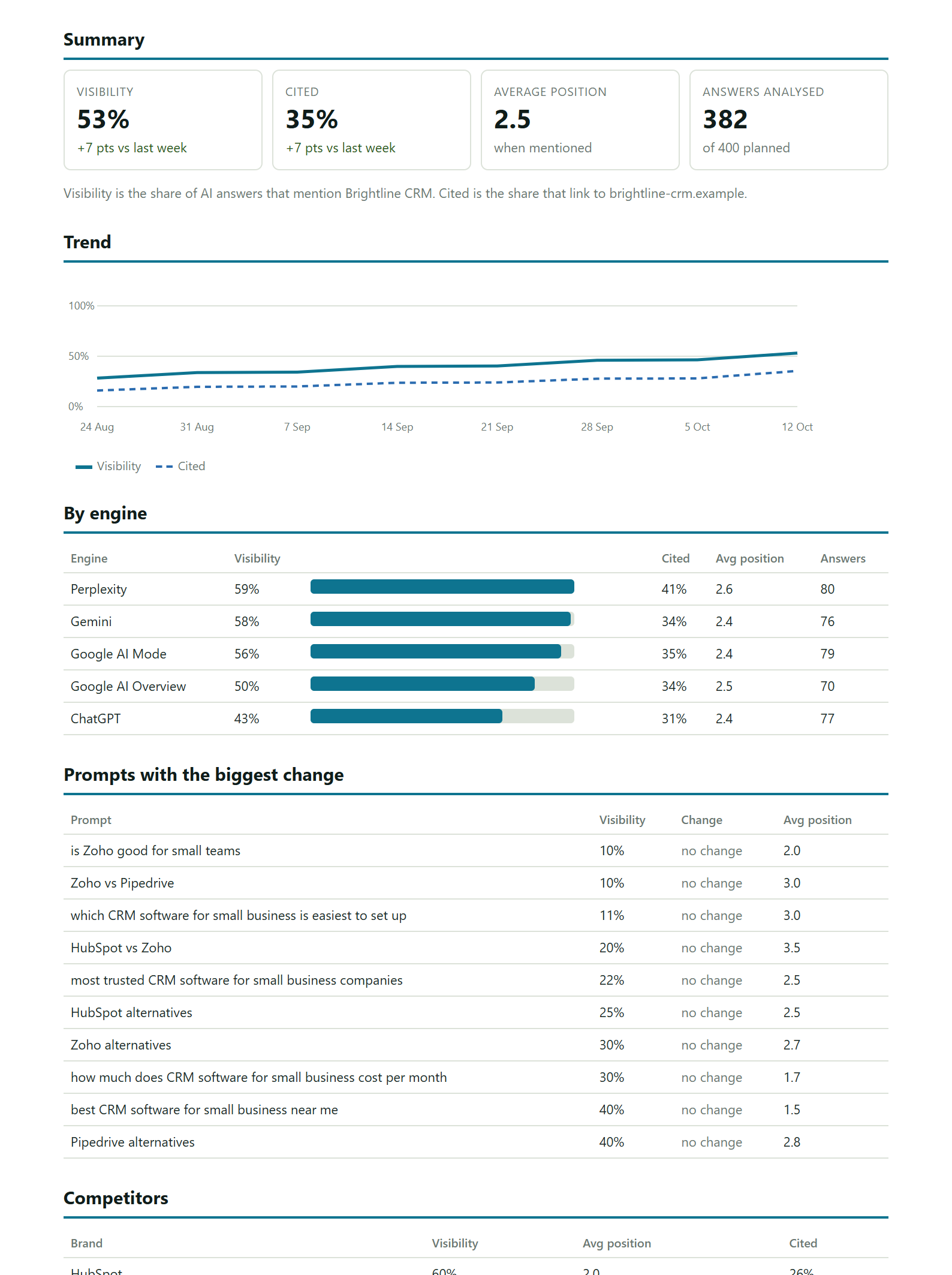
A tracker runs the same searches on a schedule from a set country, keeps every answer it collects and does the counting. CiteGaps collects Google AI Overviews every Monday on every plan, alongside ChatGPT and Gemini; Starter and Agency add Perplexity and Google AI Mode. It records whether you are mentioned and cited, your position, your competitors' shares and the sources each answer used, and links every recommendation to the answers that show the gap. To compare it with other trackers, see the AI visibility tools compared.
Questions
How can I see mentions of my brand in AI Overviews?
Search the questions your buyers ask on Google, signed out and in a private window, expand the AI Overview and check whether your brand is named in the summary and whether your site is among the linked sources. Repeat the same searches weekly, or use a tracker such as CiteGaps that collects AI Overviews for a fixed list of searches every week.
Does Google Search Console show AI Overview data?
Partly. Clicks and impressions from AI Overviews are included in the Web search type of the Performance report, but there is no filter that separates them from normal results, and mentions without a link are not shown.
Can Google Alerts track AI Overviews?
No. Google Alerts reports newly published web pages that mention a term. AI Overviews are generated for each search and are not pages Alerts can watch.
How often should I check AI Overviews?
Weekly. Overviews change from day to day, so check the same list of searches on a fixed schedule and judge by the trend over a month, not by a single result.
Does everyone see the same AI Overview?
No. The summary can vary with location, language, the exact wording of the search and the day. Check from the country your buyers are in, and keep the wording of each search the same from week to week.